How can I download the complete offer?
To access and save a complete copy of the offer you've received, follow these steps:
Houzeo Mobile App
1. Login to your Houzeo Mobile App and click on 'My Homes" and click on your properties"Primary Image."
2. Click on Offers.
3. Once you are on the Offers Tab, click on the Offer Details.
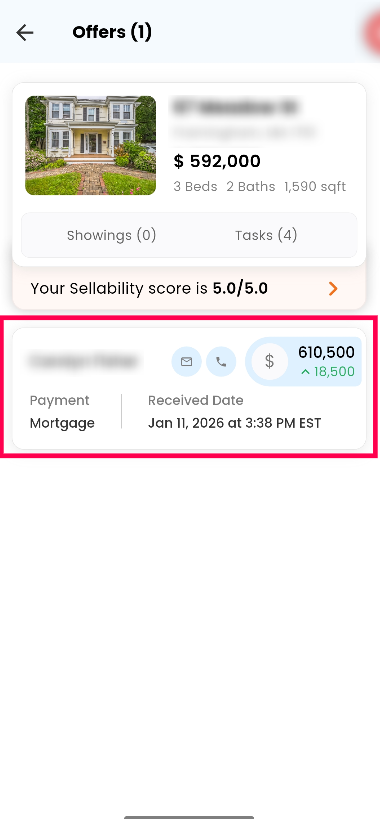
4. Look for a download button as shown below. Clicking on this will initiate the download of the complete offer contract as a document to your device.
4. Look for a download button as shown below. Clicking on this will initiate the download of the complete offer contract as a document to your device.
Houzeo Web Dashboard
Alternatively, you can also download the Offer Contract from your Houzeo Web Dashboard by following the below steps
- Log in to your Houzeo account: Visit the Houzeo website and enter your login credentials to access your dashboard.
- Navigate to the 'Offers' section: Once logged in, look for the section labeled 'Offers' on your dashboard. This is where all the offers you've received will be listed.
- Click on 'Offer Contract': Select the specific offer you want to review by clicking on the 'Offer Contract' option associated with it. This will open the details of the offer.
- Download the entire contract: Look for a download button or option within the offer details. Clicking on this will initiate the download of the complete offer contract as a document to your device.
By following these steps, you can easily obtain a full copy of the offer for your records and careful consideration.
Related Articles
Who handles the paperwork once an offer is made?
Navigating the paperwork involved in selling a home can be overwhelming. That's why Houzeo offers flexible packages to suit your needs. As a For Sale By Owner (FSBO) company, you maintain control over your home sale, but we provide varying levels of ...I want to download the listing agreement PDF for my buyer. How can I do that?
There are two ways to download a PDF copy of your Houzeo listing agreement to share with your buyer: Method 1: Through the Listing Agreement Task Log in to your Houzeo Dashboard. Locate the section labeled "Complete Tasks". Within this section, find ...What should I do if I receive an offer outside the Houzeo platform?
Once you receive an email with an offer from either a buyer or a buyer agent, you can choose to either accept, counter, or decline the offer based on the viability of that offer. If you have accepted the offer, you’ll need to initiate the "Change MLS ...Does Houzeo provide online offer and acceptance forms?
Houzeo is a limited-service listing platform, not a traditional real estate brokerage, which means we do not directly provide offer or acceptance forms. However, we offer a feature called "Houzeo Offers" that allows buyers to submit offers online ...Is there a required timeframe to respond to a purchase offer?
The party who makes an offer (the buyer or the buyer agent) sets the deadline for accepting it. In the case of a buyer making an offer to a seller, the buyer determines the timeframe within which the seller must respond. If the seller doesn't respond ...